 Moments · 瞬间
Nights worth
remembering
Photos, notes and likes, straight from the table. The moments you share stay on the table's and the restaurant's pages for the next guest.

Three steps to a moment
- 01
Choose your table
In Moments, tap to post and choose a table you went to. Only guests of a table can post moments from it.
- 02
Photos and words
Add up to 4 photos (the first is the cover) and a caption of up to 2,000 characters. You can rate the table from 1 to 5 stars too.
- 03
Choose who sees it
Public, friends or only me. Choose for each moment, or change your default in settings.
Keep the conversation
going
Like a moment you love, or leave a note. Comments take replies, so the night carries on after the table.
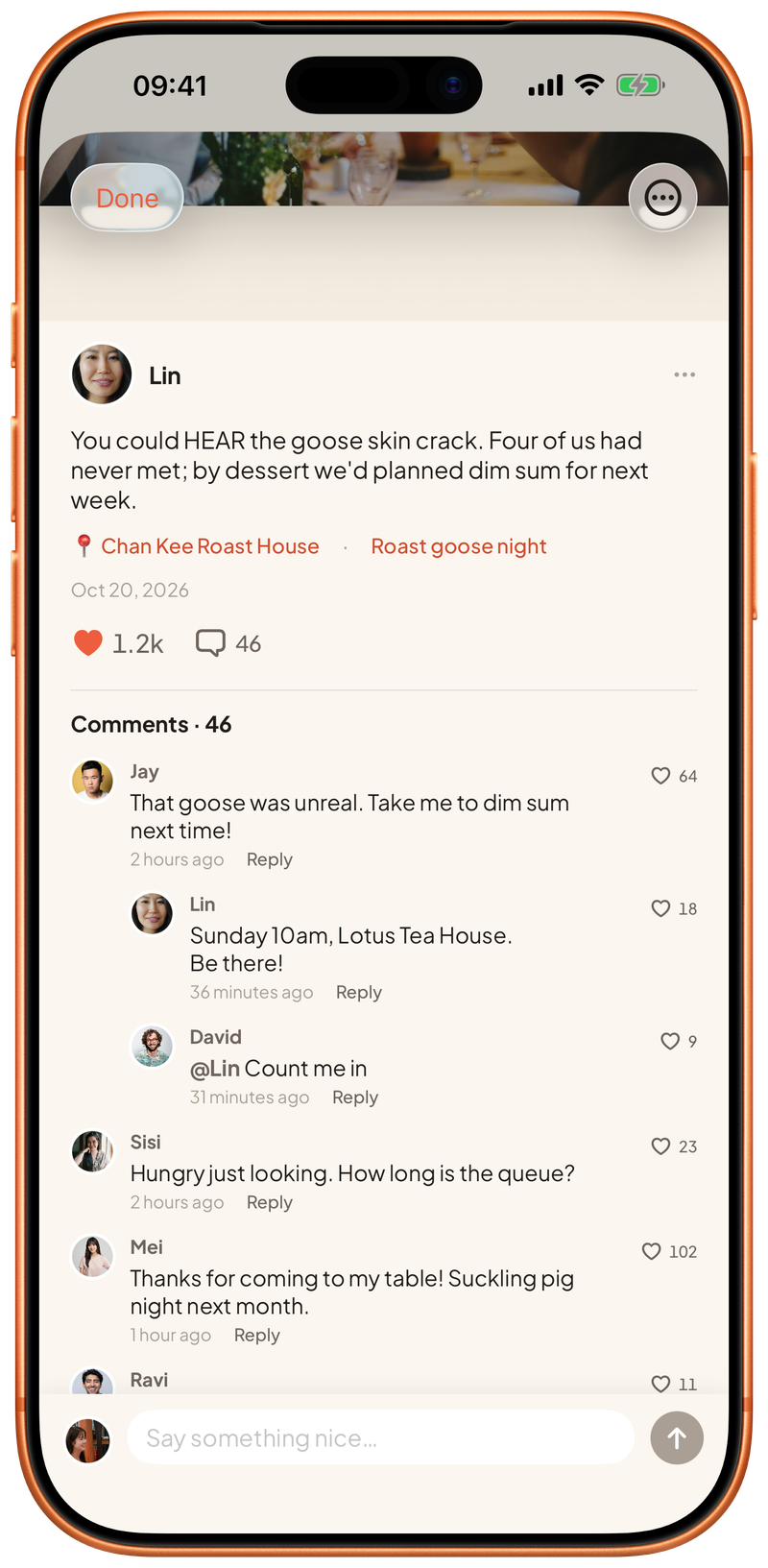
Your moment,
your call
Everyone
In your city's moments, and on the table's and restaurant's pages.
Your friends
Only people you're friends with. Add friends from a moment or a 搭友 chat.
Just you
A memory for yourself. No one else sees it.
People you've blocked, and people who've blocked you, can't see your moments, and you can't see theirs.
Friendly, real,
respectful
Only post photos you have the right to share, and ask before you post someone else. We check text before it's published, and words we don't allow can't be posted. Our team reviews reported content and removes anything that breaks the guidelines.
About moments
Can I post about a table I didn't go to?
No. Only guests who booked a table can post moments from it, so every moment comes from someone who was there.
Can I delete a moment?
Yes. Open the moment's options and tap Delete. This can't be undone.
Can I post videos?
Photos only for now, up to 4 per moment.
Can I edit a comment?
No. Delete it and post it again.
What if I see something that isn't right?
Tap Report in the moment's or comment's options and let us know what's wrong; we'll take a look. You can also block the person.
Your city is setting
a table for you
Download DaYou and pull up a chair tonight.
 Coming soon
Not on Google Play yet — install directly