 How it works · 玩法
From finding a table
to remembering the night
Every table has a host and a topic. You pick one, book a seat and bring your curiosity. The table does the rest.

From discovery to sharing
- 1
Find a table
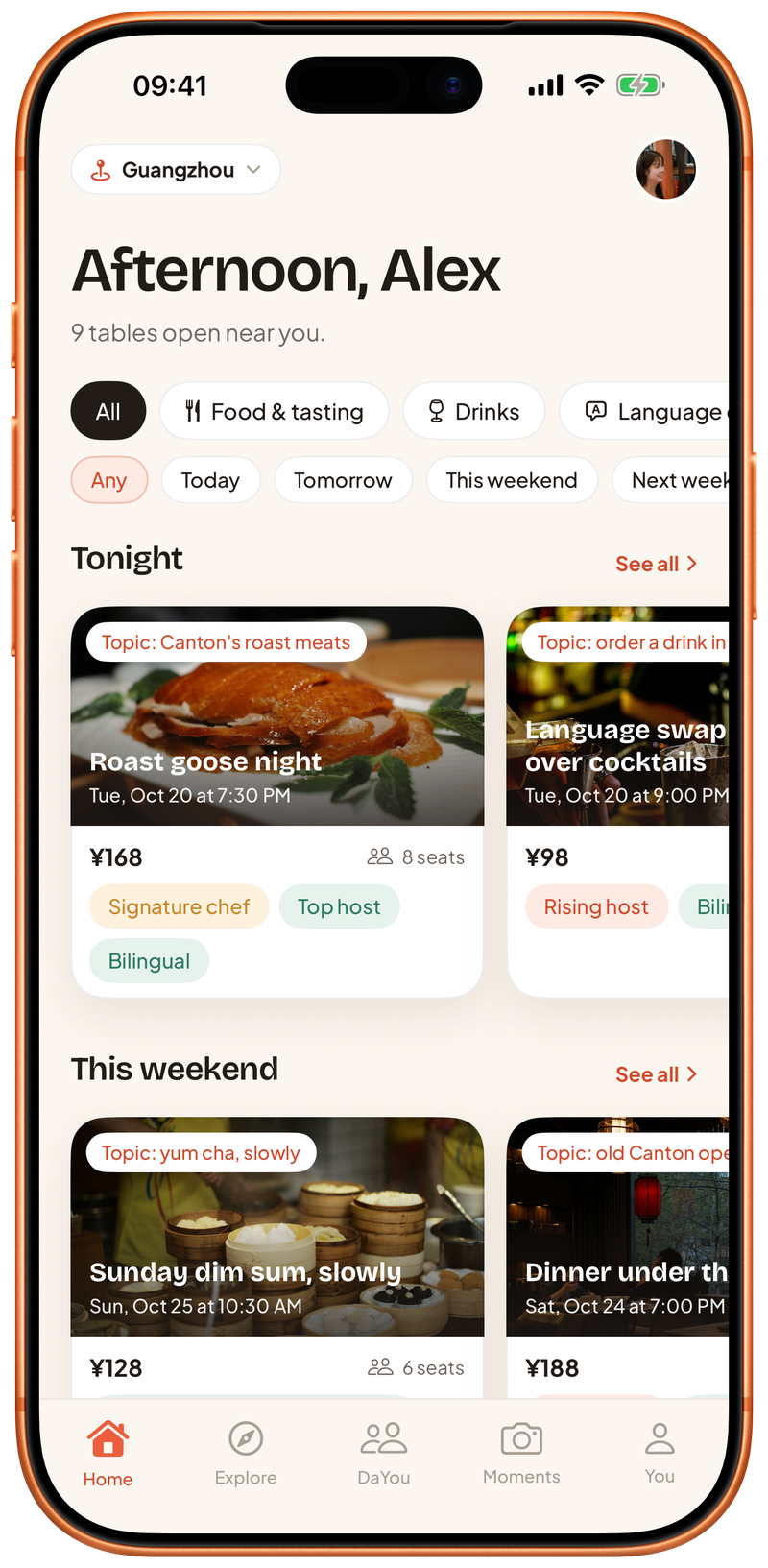
Open DaYou and see what's on in your city tonight and this weekend. Browse by date and by kind of table: food & tasting, drinks, language exchange, debates & ideas, industry chats, film, books & art, or just meet people.
- Every table shows its topic, host, restaurant, time and price per seat
- See who's coming and how many seats are left
- 2
Book a seat
Pick a table and tap Reserve table. Your seat is held for 10 minutes while you confirm, then it's yours. Your table and venue details are saved under You → Upcoming.
- Use a promo code or your wallet balance when you confirm
- ID verification is needed before you book
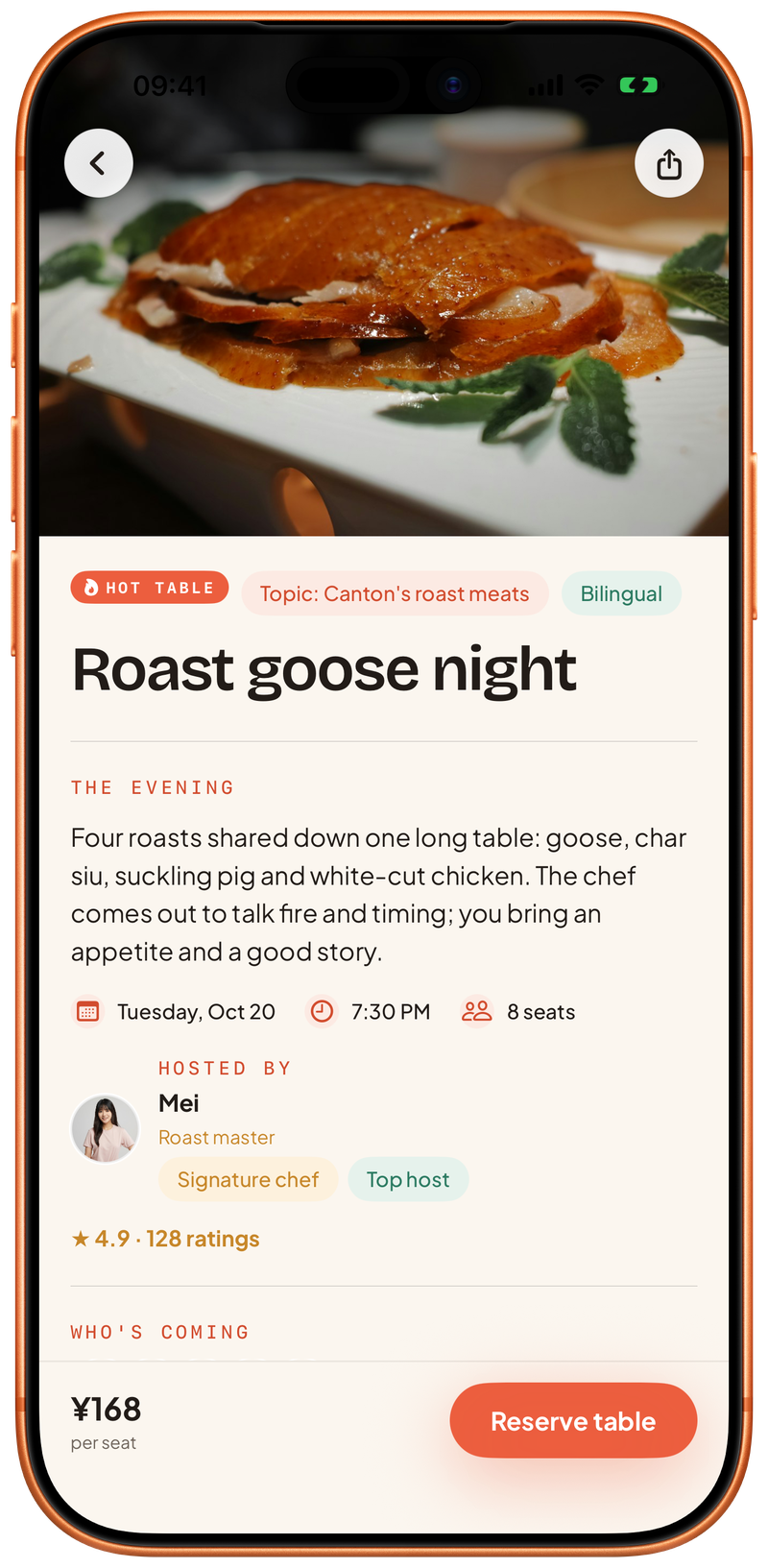 # Topic: Canton’s roast meats
 - 3
Find your 搭友
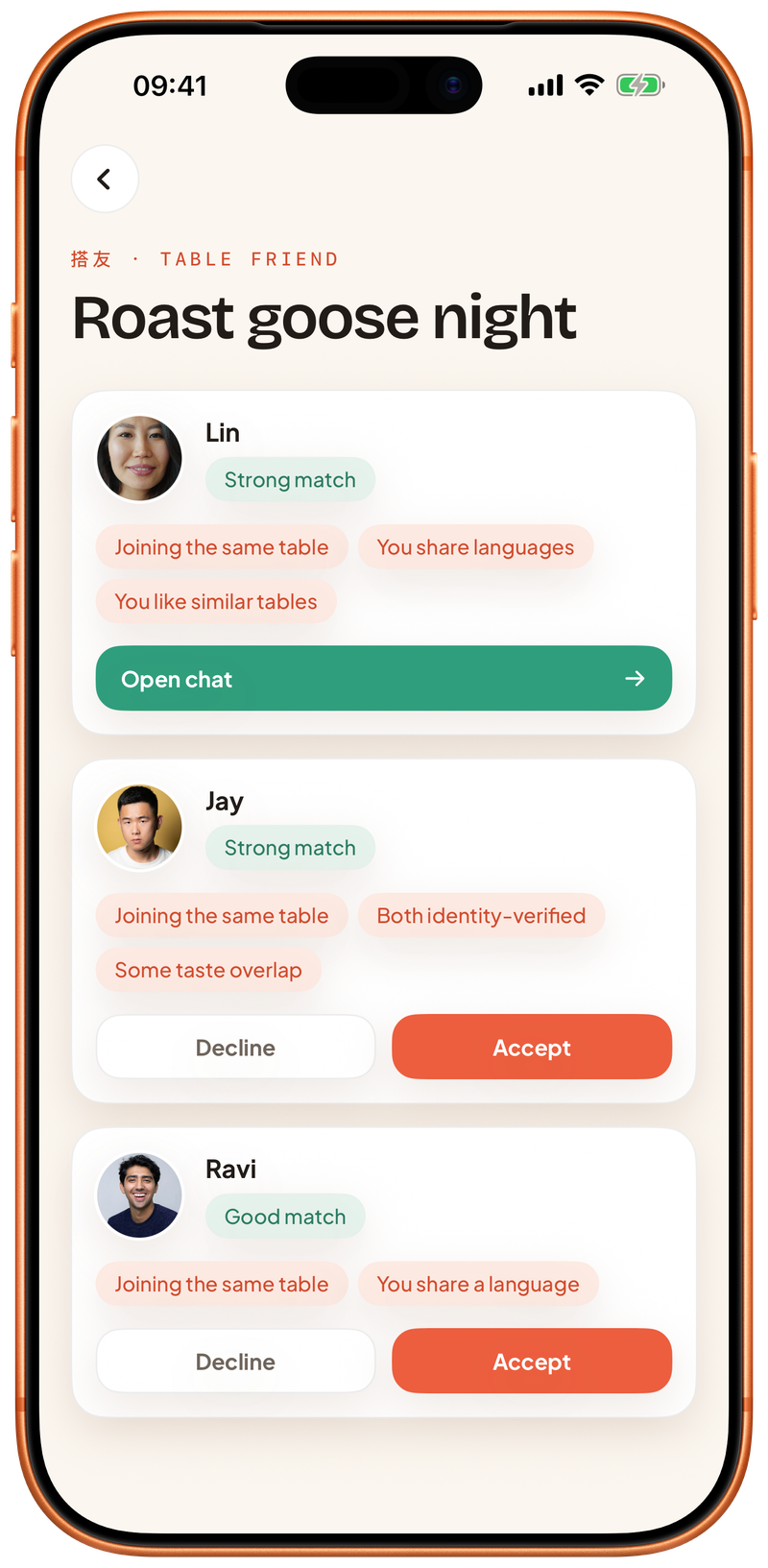
Rather not walk in alone? Once you've booked, tap Find my 搭友. We suggest people from the same table who opted in too, and tell you why, like a shared language, the same city or tables you've been to together.
- Accept a match to start chatting before the night
- Unsend a message within 60 seconds
- Report or block at any time
- 4
Gather for the night
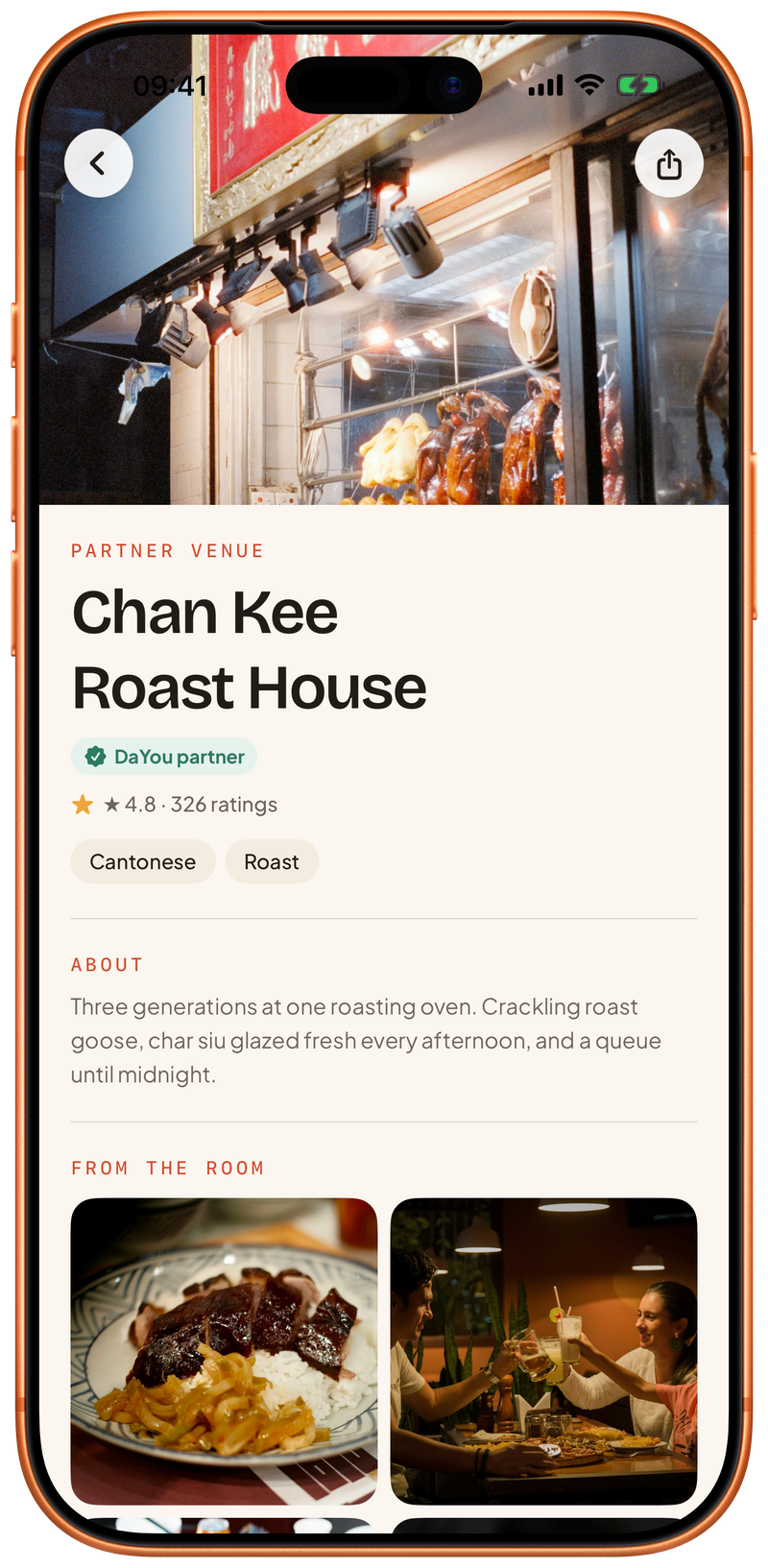
Turn up at the restaurant and take your seat. The host opens with the topic; then it's food, drinks and a table of people you haven't met yet. Every table shows its language: Chinese, English or bilingual.
- The host sets the topic; the restaurant sets time, seats and price
- Some tables are run by the restaurant itself, and some are official DaYou tables
- 5
Share the moment
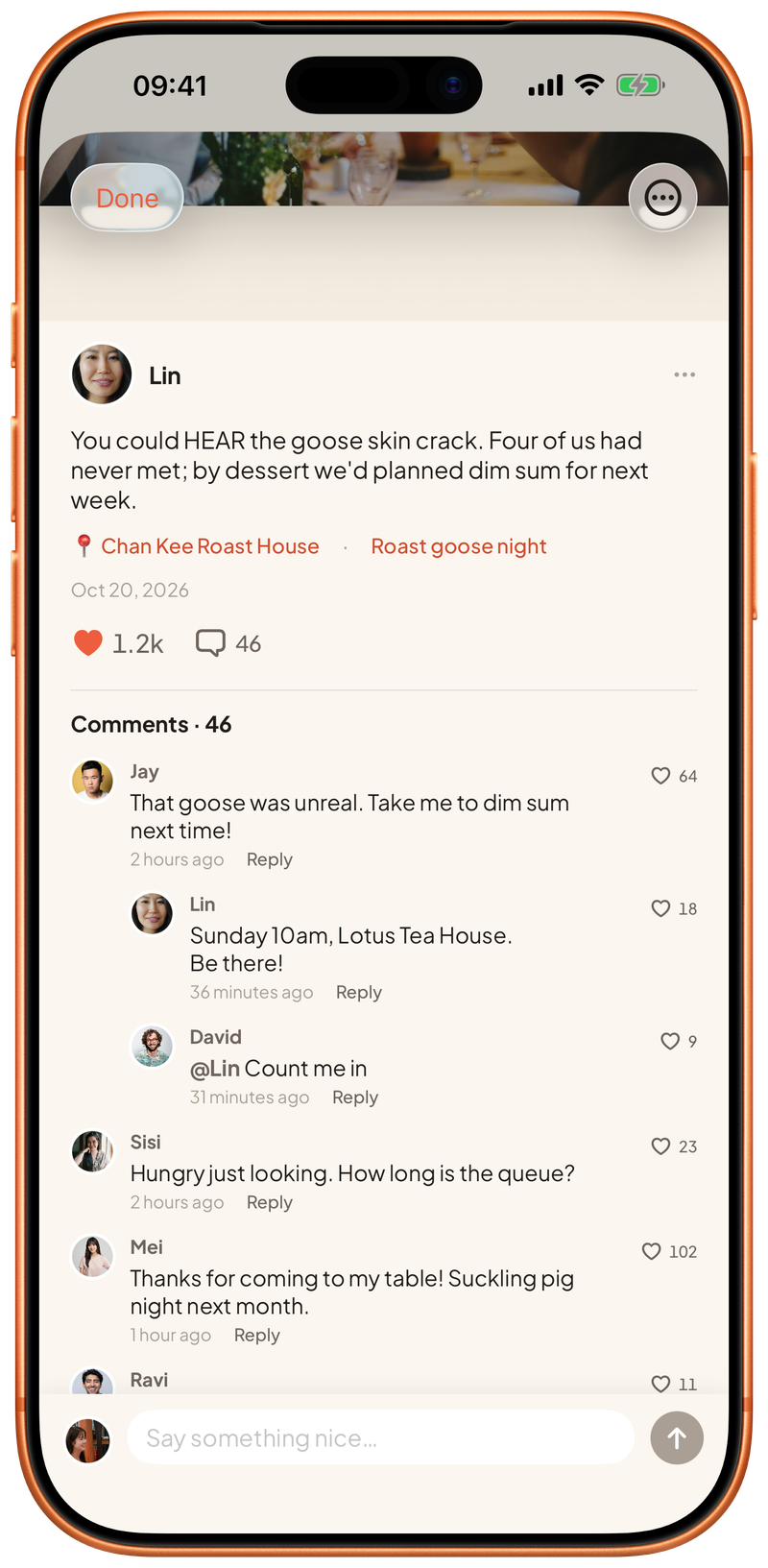
After the night, post a moment: up to 4 photos and a caption, and rate the table from 1 to 5 stars if you like. You choose who sees it: public, friends or only me.
- Public moments appear on the table's and the restaurant's pages
- Others can like, comment and reply
Everyone at the table
is who they say
You verify your identity before you book or host a table. It takes about 60 seconds. AlibabaCloud compares a scan of your face with your ID document; DaYou only receives the result and never stores your raw ID data or your face scan.
Good to know
Can I come on my own?
Of course. Lots of people do. Every table has a topic, so starting a conversation is easy. If you'd like company, tap Find my 搭友 after booking and start chatting with someone from the same table.
How long is my seat held?
When you tap Reserve table, the seat is held for 10 minutes. Confirm within that time and it's yours; otherwise it goes back to the table.
What if I need to cancel?
Tap Cancel booking on the table and your seat goes back to the table. If you paid and it's 48 hours or more before the table, message us and we'll refund you in full. Within 48 hours, cancelling forfeits your seat with no refund.
Why do I need to verify my identity?
So everyone at the table can relax. You verify before you book or host. AlibabaCloud runs the check; DaYou only receives the result and never stores your raw ID data or your face scan.
How does 搭友 matching work?
We only suggest people from the same table who also tapped Find my 搭友. We look at shared languages, whether you're in the same city, tables you've been to together, whether you're both ID-verified and whether you like similar tables, and we show you the reasons.
What language is spoken?
Every table is marked Chinese, English or bilingual. The app itself works in English and Simplified Chinese, and you can switch any time.
What if someone makes me uncomfortable?
You can report from a chat, a moment or a comment, and our team reviews every report. You can also block them: you won't see each other's moments or messages, and the chat closes. In an emergency, call 110 first.
Your city is setting
a table for you
Download DaYou and pull up a chair tonight.
 Coming soon
Not on Google Play yet — install directly